Zanimljiv članak jednog od urednika "Computer World" magazina:
Building an inexpensive, high-performance PC for Windows 7
The time is right to start putting together a system that will make Windows 7 shine -- without breaking the bank.
By Frank J. Ohlhorst
August 6, 2009
================================================================
Pročitajte detaljno obrazložen izbor komponenti i njihovih alternativa... ali ako vas baš mrzi, ovo su one najbitnije stavke iz pomenutog članka:
CPU: AMD quad-core Phenom II x4 955 Black Edition 3.2GHz (2.6GHz Phenom X4 9950 / 3.0GHz Phenom II X4 945)
MB: Asus M4A78T-E (Gigabyte GA-MA770T-UD3P / Asus M4A79T Deluxe ATX)
GPU: Integrisana grafička!
RAM: 2X2GB Kit Kingston Technology model P/N KHX12800D3K2/4G) , 1600MHz DDR3
HDD: 1TB Western Digital's WD Caviar Green series, model WD10EADS, 3.0GB/s SATA interface and 32MB of cache
DVD-RW: LG Super-Multi Blu-ray Rewriter (model GGC-H20L)
PSU: 750-watt Corsair TX750W
CPU Cooler: CoolIT Domino A.L.C.
CASE: Antec Nine Hundred Two
Tests:
Napomena:
Sve navedeno se naravno odnosi na kupovinu na američkom tržištu
Building an inexpensive, high-performance PC for Windows 7
The time is right to start putting together a system that will make Windows 7 shine -- without breaking the bank.
By Frank J. Ohlhorst
August 6, 2009
================================================================
Pročitajte detaljno obrazložen izbor komponenti i njihovih alternativa... ali ako vas baš mrzi, ovo su one najbitnije stavke iz pomenutog članka:
CPU: AMD quad-core Phenom II x4 955 Black Edition 3.2GHz (2.6GHz Phenom X4 9950 / 3.0GHz Phenom II X4 945)
MB: Asus M4A78T-E (Gigabyte GA-MA770T-UD3P / Asus M4A79T Deluxe ATX)
GPU: Integrisana grafička!
Citat:
(Thanks to motherboard manufacturers using more powerful integrated graphics processing units (GPUs) and better chipsets, however, the performance of onboard graphics has improved a great deal in the last year.
Today's onboard graphics paired with Windows 7 will offer a perfectly acceptable computing experience for most users, with enough oomph to watch HD videos and graphically intense presentations)
Today's onboard graphics paired with Windows 7 will offer a perfectly acceptable computing experience for most users, with enough oomph to watch HD videos and graphically intense presentations)
RAM: 2X2GB Kit Kingston Technology model P/N KHX12800D3K2/4G) , 1600MHz DDR3
HDD: 1TB Western Digital's WD Caviar Green series, model WD10EADS, 3.0GB/s SATA interface and 32MB of cache
DVD-RW: LG Super-Multi Blu-ray Rewriter (model GGC-H20L)
PSU: 750-watt Corsair TX750W
CPU Cooler: CoolIT Domino A.L.C.
CASE: Antec Nine Hundred Two
Tests:
Citat:
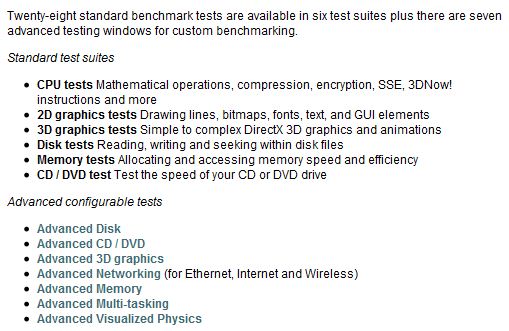
I tested the system using PerformanceTest 7.0 (64-bit) from PassMark Software. The system rated an overall PassMark score of 1151.3 and a CPUmark score of 4025.6 (CPUmark is a subset of the PassMark rating that focuses only on raw CPU performance). I was able to safely overclock the system to 3.8GHz, which increased the PassMark score to 1322.5 and our CPUmark score to 4951.4, a worthwhile increase.
For not much more than $1,000, I constructed a high-performance system with minimal compromises, while still using top-of-the-line components. The case also has room for additional components, such as a high-performance video card, more RAM and additional hard drives, and the power supply has enough oomph to support such extras if I want to add them later on.
As a comparison, I also tested a system built with an Intel Core i7 965 CPU, an Intel DX58So motherboard, an Asus EN9800GTX+ video card and other high-end components. That system offered an overall PassMark Rating of 1679, roughly a 22 percent performance increase over my AMD test system. That performance increase came with a high price tag, though: The Intel Core-i7 system cost about $3,000 to build.
Is a 22 percent performance increase worth an extra $2,000? For the majority of users, the answer is no.
For those wanting to keep costs down even further, choosing some lower-level components than I did could easily shave $300 or more off of the total price. The areas to target for savings without sacrificing performance include the case, power supply, optical drive, hard drive and CPU cooler.
For not much more than $1,000, I constructed a high-performance system with minimal compromises, while still using top-of-the-line components. The case also has room for additional components, such as a high-performance video card, more RAM and additional hard drives, and the power supply has enough oomph to support such extras if I want to add them later on.
As a comparison, I also tested a system built with an Intel Core i7 965 CPU, an Intel DX58So motherboard, an Asus EN9800GTX+ video card and other high-end components. That system offered an overall PassMark Rating of 1679, roughly a 22 percent performance increase over my AMD test system. That performance increase came with a high price tag, though: The Intel Core-i7 system cost about $3,000 to build.
Is a 22 percent performance increase worth an extra $2,000? For the majority of users, the answer is no.
For those wanting to keep costs down even further, choosing some lower-level components than I did could easily shave $300 or more off of the total price. The areas to target for savings without sacrificing performance include the case, power supply, optical drive, hard drive and CPU cooler.
Napomena:
Sve navedeno se naravno odnosi na kupovinu na američkom tržištu


 Odnosno bilo koji procesor sa dva jezgra, 2 MB rama, integrisana grafika novije generacije, hard disk prema potrebi i standardno napajanje od 50-ak € (da nije neka Š marka) i biće dovoljno za veliku većinu korisnika.
  Jeste da neće terati Crisis (ili šta je već sad aktuelno), al' šta sad.