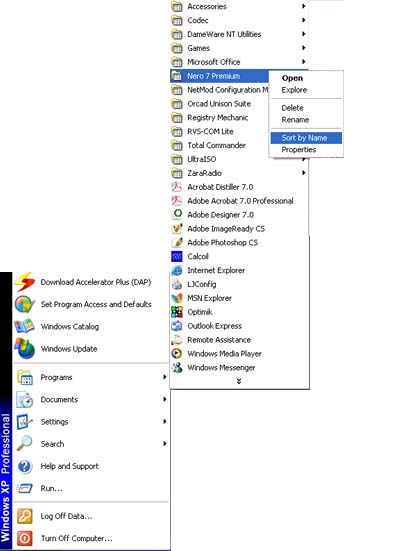
Ovo sam nasao na ovom sajtu:
http://redchaos.wordpress.com/...your-start-menus-program-list/
Citat:
Start > Run > Type “Regedit”
Find the registry key:
HKEY_CURRENT_USER\Software\Microsoft\Windows\CurrentVersion\Explorer\MenuOrder
Right click MenuOrder in the left pane, click Permissions… then click Advanced button
Remove the checkmark from the “Inherit from parent the permission entries that apply to child objects. Include these with entries explicitly defined here” entry.
In the Security dialog box that opens, click Copy and you’ll be taken back to the Advanced Security Settings for MenuOrder window. Click OK and you’ll return to the Permissions for MenuOrder window.
Clear the checkmark next to Full Control in both your account and all security groups where you are a member.
Do not change the Read permission.
Exit Registry and Reboot
To verify that the tweak has completed successfully, log off the system and log back in then open Start and All Programs menu. Click on one of the items and try to drag it to a new location within the order of the folders. If all went well you will be unable to reposition the item. The black line that normally appears showing where the selected item would be repositioned will either be missing totally or appear as a faint shadow.
Nisam probao, ne znam da li radi.
tip: google - "automatic sort start menu"
poz